GetRight Port

A 1997 CLASSIC. A NEW CHAPTER.

From dial-up.
To right now.

Remember when every download was an adventure? We brought an old friend through the time tunnel. Ported from the past to the present by Jorge Pereira.

The spirit of GetRight, rebuilt for macOS with reverse engineering and AI. Familiar green progress bars. A fresh start on Apple Silicon.

macOS · Apple SiliconOpen source · LGPL v3
GetRight Port on macOS with a real download advancing in its progress window over the main window
↳
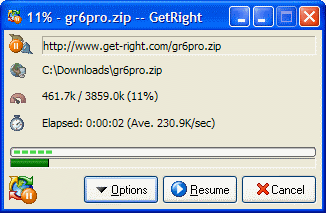
Same little icon.A different era.
Original GetRight icon
19972026

Before fast internet,
there was GetRight.

A dropped connection didn't have to mean starting over.

Michael Burford released GetRight 1.0 in February 1997. His idea grew out of a familiar frustration: a game demo download that kept getting disconnected.

GetRight became a familiar name on Windows desktops, helping people resume and organize downloads in the dial-up era. The green progress bars, the tray icon, the feeling of finally reaching 100% — that's the part we wanted to bring along.

FROM THE WINDOWS ARCHIVE
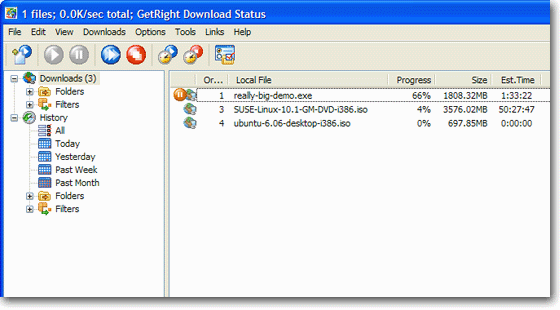
The original GetRight Download Status window on Windows, with its classic toolbar and download queue The original Windows GetRight download progress dialog
Original Windows interface. Screenshot: Headlight Software, official screenshot collection ↗

02 / THROUGH THE TIME TUNNEL

Nostalgia is the spark.
Code is the time machine.

This is an independent porting and software archaeology project by Jorge Pereira. Reverse engineering (REV), REA — the Reverse Engineering Assistant — and OpenAI Codex help turn observed behavior into readable C++17 and Qt 6 code.

We are rebuilding the experience, not recovering the original source byte for byte. The project starts with macOS on Apple Silicon, bringing a piece of 1990s software culture into a modern, open source codebase.

Step inside the code ↗

Feels familiar.
Runs here, today.

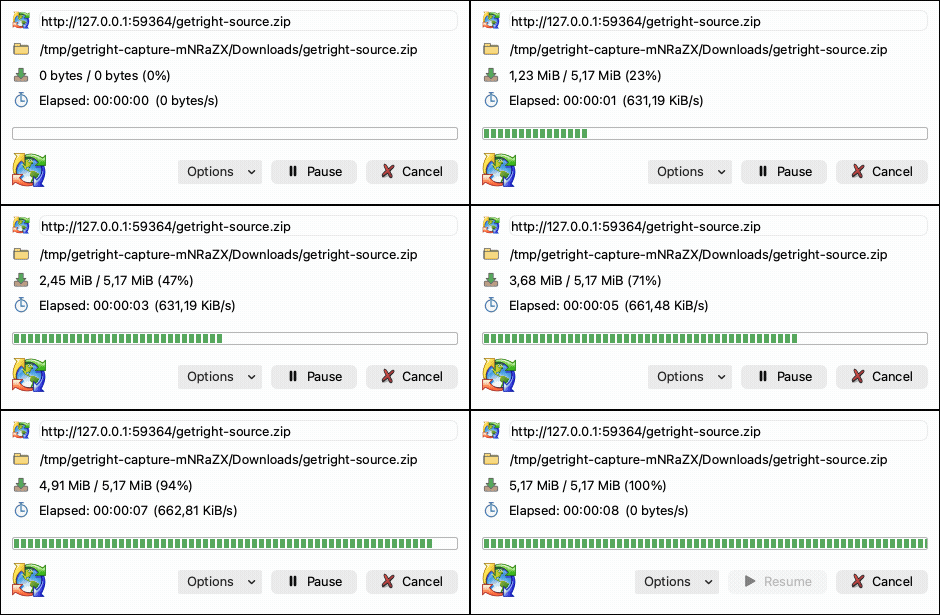
Real screenshots of v1.0.1 downloading a source archive over a local HTTP connection. Native macOS controls, your choice of light or dark, and the details that matter.

01

Pick up where you paused.

HTTP/HTTPS downloads, partial files, pause and resume, and a persistent queue.

02

Keep the details in sight.

Progress, speed, remaining time, destination, and history. One click away.

03

Let it work in the background.

A familiar menu bar icon, live speeds, and controls to pause or resume all transfers.

04

Make it feel like yours.

System, light, and dark themes. Native macOS, Windows 11, and Windows XP looks.

A classic.
Ready for another run.

Start with macOS on Apple Silicon. Every package below comes from a published GitHub release, with source code and SHA-256 checksums alongside the app.

macOS · Apple Silicon macOS 15 or later
PackageFormat SizeDownload link
Loading available packages…

Checking the latest release.

Installation & building from source +

Open the DMG and copy the app to Applications, or extract the application ZIP. Release bundles include Qt. The app is ad-hoc signed and is not Apple-notarized.

To build the source on a Mac:

brew install cmake qt
git clone https://github.com/jpereira/getright.git
cd getright
make osx
Read the build instructions ↗
NEXT THROUGH THE TUNNEL

Windows 11 · Linux (Ubuntu & Debian) · Android (APK)

See the roadmap ↗